


Plesk/Postfix Anti-spam with Rspamd
Rspamd (modern alternative to SpamAssassin)
- Lower power consumption than SpamAssassin, faster, and has a web-based control interface.
- It includes greylisting, IP reputation, and DKIM verification modules.
Well then let’s get started:
Rspamd
Ubuntu 22.04/24.04:
sudo apt update
sudo apt install rspamd
Configuring Rspamd
Rspamd is installed as a service (/etc/rspamd/).
sudo nano /etc/rspamd/local.d/worker-proxy.incCheck or add :
bind_socket = "127.0.0.1:11332";
milter = yes;
timeout = 120s;
upstream "local" {
default = yes;
self_scan = yes;
}
Integrate Rspamd with Postfix
Edit Postfix configuration:
sudo nano /etc/postfix/main.cfSearch and edit, if they don’t exist add them at the end. if you are using plesk just add at the end or plesk will overwrite them with their default settings.
milter_default_action = accept
milter_protocol = 6
smtpd_milters = inet:127.0.0.1:11332
non_smtpd_milters = inet:127.0.0.1:11332
Now, just restart postfix
sudo systemctl restart postfixNow your emails will have antispam protection. rspamd already has default settings for filtering emails, but you can modify them to your liking. I recommend researching how to configure rspamd User settings | Rspamd Documentation
Configure rspamd using files and commands on /etc/rspamd/local.d
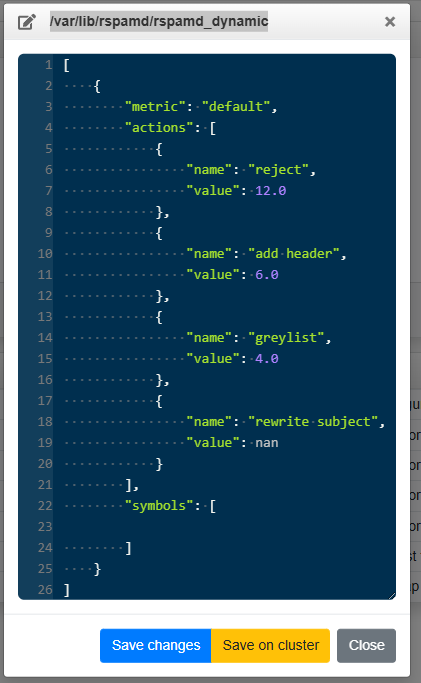
or we can configure its web interface. It’s only accessible locally, so if you want to access its web interface, you’ll need to connect via SSH and create a tunnel to port 11334.
Web Access to Rspamd
Rspamd has a web interface on port 11334.
Edit:
sudo nano /etc/rspamd/local.d/worker-controller.incadd and edit:
bind_socket = "127.0.0.1:11334";
password = "create-pass-for-read-only"; # use rspamadm pw for create one
enable_password = "strong-password"; # use rspamadm pw for create one
Can create strong passwors with
rspamadm pwNow, just restart rspamd
sudo systemctl restart rspamd